

How We Replaced Monthly PDF Reports With a Live Client Portal
Most freelancers send a PDF report once a month and hope the client reads it.
We used to do the same thing. A polished slide deck, a few GSC screenshots, some GA4 numbers — emailed out with the invoice and rarely opened.
The problem isn’t the data. It’s the format. A static PDF delivered once a month doesn’t feel like ongoing value. It feels like a homework assignment.
So we built something different. A live client portal — always up to date, accessible anytime, written in plain simple English of how the data reads — using GitHub Pages and Supabase. Total monthly cost: $0 and fully baked into our regular maintenance plans.
Here’s exactly how we did it and why it works better than any SaaS tool we’ve tried.
The Problem With PDF Reports
When you’re a freelancer or small agency managing a client’s website, you’re doing real work every month — plugin updates, security scans, SEO monitoring, content tweaks. But if the only time your client sees that work is in a PDF attached to an invoice email, it doesn’t feel like $X/month worth of value.
Tools like AgencyAnalytics or DashThis solve this with slick dashboards, but they cost $49–$99/month per client. That’s a hard sell when you’re just getting started and your retainer is $300–$500/month.
We wanted something that:
- Looked professional and branded
- Updated automatically with live data
- Was written in plain English, not raw analytics jargon
- Cost nothing to host
- Scaled to multiple clients without multiplying my monthly overhead
The Stack
Everything is free on the tier we’re using:
- GitHub Pages — free static site hosting. Each client gets their own HTML file served from a public (or private with GitHub Pro at $4/month) repo.
- Supabase — free PostgreSQL database with a REST API. Stores all client data: SEO metrics, site health, work logs, recommendations.
- Google Search Console API — pulls monthly GSC data automatically.
- Google Analytics Data API — pulls GA4 traffic data automatically.
- Vanilla JavaScript — no frameworks, no build tools, no dependencies.
The whole thing is a single HTML file per client. No server, no backend, no WordPress involved, and ensured to be password protected.
What the Client Sees
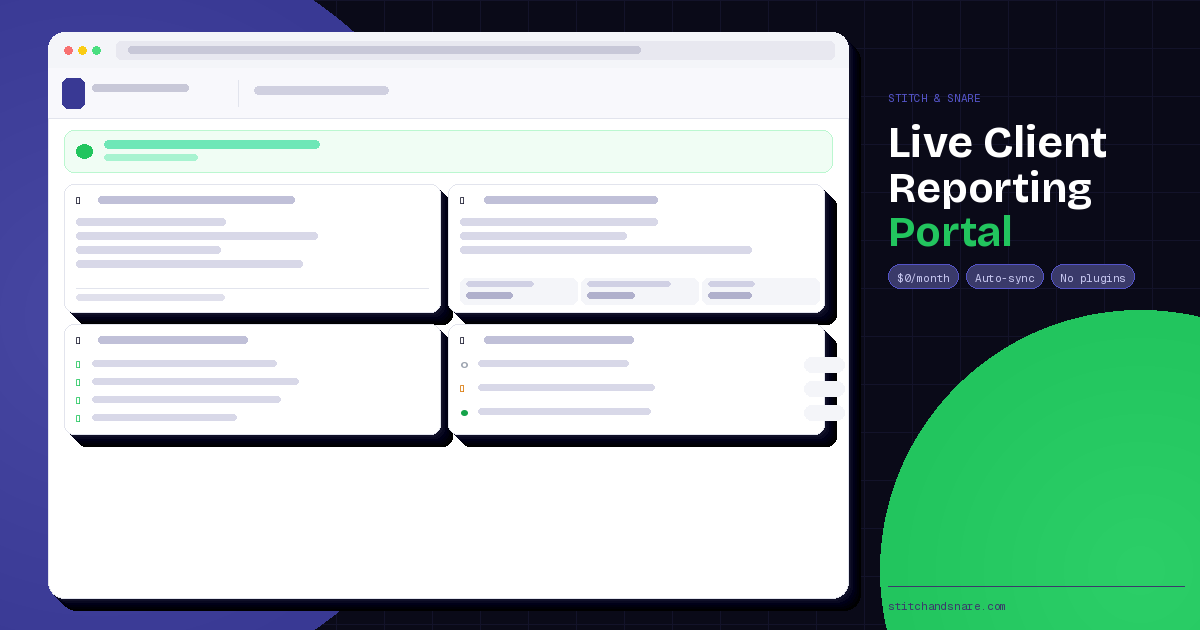
When a client opens their portal URL and enters their password, they see five sections — all written in plain English:
1. Site status — A green or yellow banner. “Your site is online, secure, and running smoothly.” Or “There are items that need attention.” No jargon.
2. Google visibility — Not “XYZ impressions” in a table. Instead: “Your site appeared in Google search results XYZ times last month. XYZ people clicked through — a click rate of X%, up Y% from last month.” Numbers with context.
3. Website traffic — “XYZ people visited your website this month, up X% from February. They viewed XYZ pages across X visits.” That’s it.
4. Security & maintenance — Checkmarks. SSL active ✓. Firewall on ✓. Last malware scan clean ✓. Plugins updated this month: Jetpack, Kadence Blocks, Astra.
5. Growth roadmap — Upcoming and in-progress work items with status badges. Pending, In Progress, Done. The client can see what’s coming next without having to ask.
There’s also an FAQ accordion at the bottom that answers the questions clients always ask — “what’s a click rate,” “why do my visitor numbers look different in different places,” “what counts as an event in GA4.” Permanently embedded, no email required.
How the Data Updates
This is the part that makes it actually useful.
We built an admin mode into the portal itself. When we open the portal URL with a specific admin password appended, a dark bar appears at the top with:
- A Connect Google button (OAuth to GSC and GA4)
- A month picker
- A Sync Data button
- A Manage panel for manual entries
Once a month we:
- Open the admin URL
- Connect Google (takes 10 seconds)
- Select the previous month
- Hit Sync
The portal pulls that month’s GSC and GA4 data directly from Google’s APIs, saves it to Supabase, and updates the dashboard. The client’s portal is live within seconds — no file uploads, no CSV exports, no copy-pasting.
For things Google doesn’t know — what plugins were updated, what work was completed, what’s coming next — we add those manually through the Manage panel. Takes about two minutes.
The Architecture (For The Technical Reader)
The portal is a single static HTML file. Here’s how the key pieces fit together:
Authentication: The client sees a password login screen. The password is stored in Supabase and checked client-side. Admin mode uses Google’s OAuth implicit flow, storing the access token in localStorage so it survives the redirect back from Google.
Data layer: All client data lives in five Supabase tables: clients, monthly_data, work_log, plugin_updates, and recommendations. The portal fetches everything via the Supabase REST API using the anon key — which is safe because Supabase’s Row Level Security policies restrict what the anon key can access.
Google sync: The sync function hits two endpoints:
searchconsole.googleapis.com— for impressions, clicks, CTR, position, and top queriesanalyticsdata.googleapis.com— for pageviews, users, and sessions
It then checks if a row already exists for that month in monthly_data and either updates or inserts accordingly.
Hosting: The file lives in a GitHub repo with Pages enabled. The URL is username.github.io/repo-name/client.html. Each new client gets a duplicate of the HTML file with their slug, GSC property, and GA4 property ID swapped in — takes about five minutes to onboard a new client.
Adding a New Client
When we bring on a new care plan client, the process is:
- Insert a row into Supabase
clientstable with their slug, name, and password - Duplicate the HTML file, rename it, update three constants at the top (slug, GSC URL, GA4 property ID)
- Push to GitHub
- Send them the URL and password
That’s it. No new infrastructure, no new monthly costs, no new SaaS seats.
Why This Beats SaaS Dashboard Tools
| AgencyAnalytics | DashThis | This build | |
|---|---|---|---|
| Monthly cost | $59+ | $49+ | $0 |
| Per-client cost | Yes | Yes | No |
| Custom branding | Limited | Limited | Full control |
| Plain English copy | No | No | Yes |
| Client can access anytime | Yes | Yes | Yes |
| Data auto-updates | Yes | Yes | Yes |
| Requires ongoing subscription | Yes | Yes | No |
The SaaS tools are great if you have 20+ clients and need to manage everything from one dashboard. At smaller scale, you’re paying $50–$100/month for infrastructure that delivers less value than something you built yourself in a weekend.
What We’d Do Differently
A few things we learned the hard way:
Don’t overthink the data presentation. My first version had charts, dual-axis graphs, and MoM comparison bars. My client was confused by all of it. Plain sentences beat charts every time for non-technical clients.
Row Level Security matters. Supabase’s anon key is public — anyone who finds it can read your database. RLS policies limit what the anon key can do, so make sure you set them up properly before sharing any URLs.
Google access tokens expire after one hour. Build your sync flow around this. The admin just needs to click Connect Google again — it’s a 10-second process — but if you don’t account for it, you’ll get confusing auth errors mid-sync.
Keep the client password simple. It’s not securing nuclear codes. Something memorable that they won’t have to reset every month.
Is This Right For You?
This approach works well if you’re a freelancer or small agency managing a handful of clients on website retainers. It’s not the right fit if you need multi-user access, complex analytics, or white-label reporting at scale — at that point the SaaS tools start making sense.
But if you’re managing 1–10 clients and want to deliver a premium experience without paying premium SaaS prices, this stack is hard to beat.
The full setup took about a day to build. The maintenance is maybe 10–15 minutes per client per month. And the client experience — a live, branded, always-current portal they can check anytime — is genuinely better than anything we were delivering with PDF reports.
If you want to build something similar and have questions about the implementation, get in touch. You can also hire us to do this work for you at a one-time fixed price!
Built with GitHub Pages, Supabase, Google Search Console API, and Google Analytics Data API. No monthly fees. No external dependencies.