

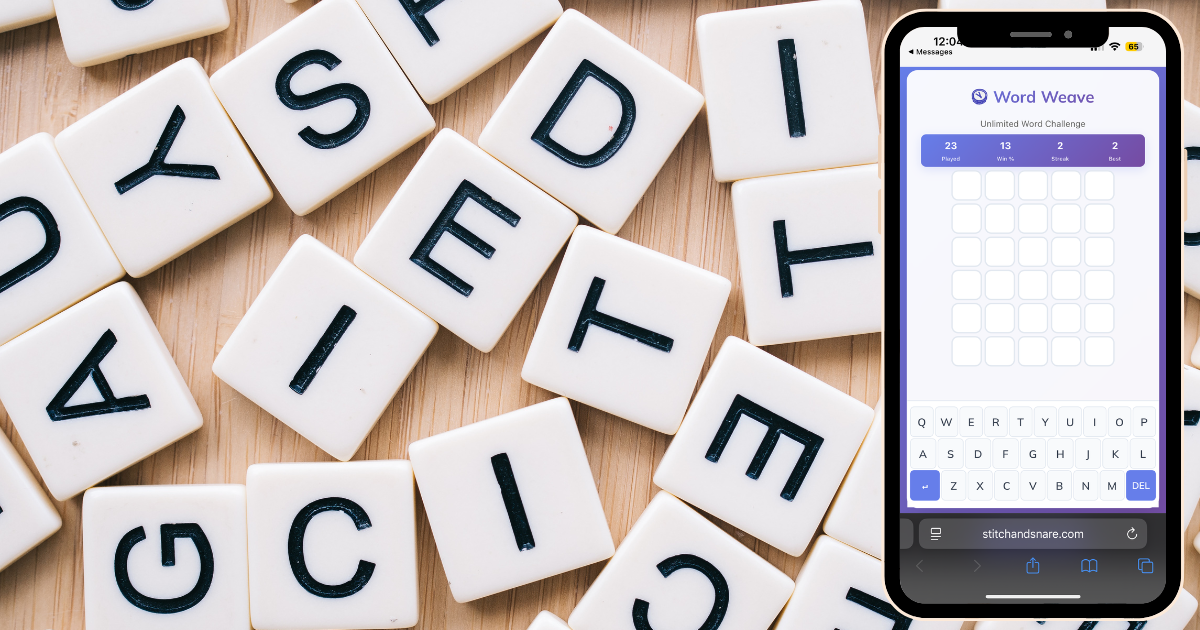
Creating a Word Puzzle for WordPress Using Claude
The viral success of Wordle by NYT proved how powerful a simple word puzzle can be. Millions of people added it to their daily routine, enjoying the balance of challenge and simplicity. On that note – I simply just missed this game, and wanted to build my own for people to enjoy. The general idea is to boost engagement on your website, while increasing time on page with something that’s engaging to the user.
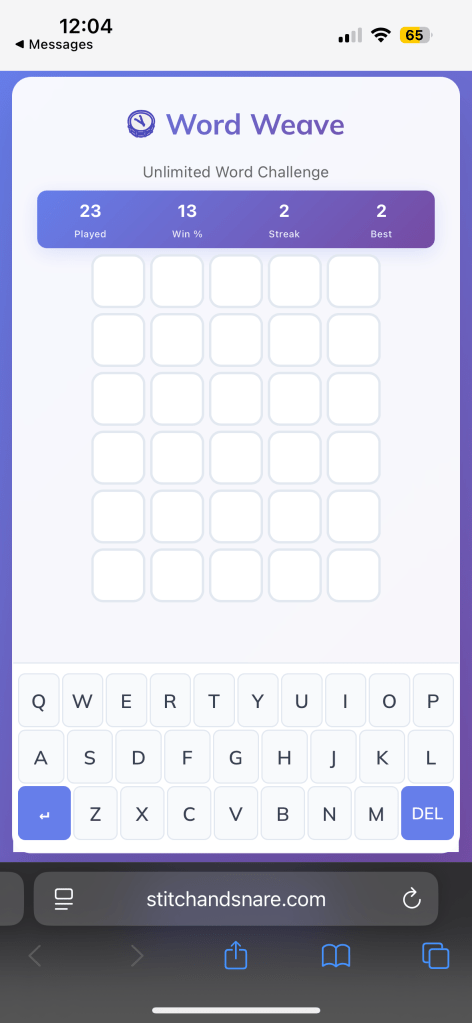
With the help of using Claude Code, it’s possible to build a custom Wordle-inspired word puzzle game directly inside your custom branded WordPress site. It’s lightweight, branded, and endlessly replayable by just refreshing your page. WordWeave allows you to come back and play if you didn’t get a shot at guessing the word correctly the first time.
Why Add a Word Puzzle to a WordPress Site?
Interactive content like puzzle games and browser-based gaming features do more than entertain:
- Keep visitors engaged for longer sessions.
- Encourage repeat visits with replayable puzzles for words.
- Provide unique site features competitors may not offer.
- Build brand personality through interactive style and design.
A word puzzle can be more than a fun distraction — it’s also a tool for improving SEO and user engagement for your website.
Step 1: Planning the Puzzle Concept
Before building, it helps to outline the key requirements for a custom puzzle game:
- Grid layout: rows of guesses
- Color feedback: make sure your colors are on-brand and differentiate from other word puzzle games out there
- Custom word list: brand-related terms, industry phrases, or creative vocabulary. Your puzzle game – your rules.
- Mobile-first design: to support casual gaming across devices.
- Plugin-free setup: lightweight code instead of heavy WordPress plugins.
Step 2: Using Claude to Generate the Puzzle
With the concept ready, Claude can generate the initial build:
- HTML structure for the puzzle board and on-screen keyboard.
- CSS for responsive styling and tile animations.
- JavaScript logic to check guesses, validate words, and provide feedback.
This creates a working base for a fully functional puzzle for words.
Step 3: Iterating the Game for a Better Experience
After generating the base version, improvements can be generated on your own — or with the help from Claude, such as:
- Smooth tile flip animations for a dynamic gaming experience.
- Desktop keyboard support for faster input.
- Accessibility updates with stronger color contrast.
- A replay button to make the word puzzle game endlessly playable.
Each round of refinement helps transform the puzzle into a polished word gaming feature.
Step 4: Embedding the Puzzle in WordPress
Now that you have a working game that you’ve tested in Claude Code — now its time to test on your stage environment on WordPress. The integration is straightforward:
- Add a Custom HTML block in the Gutenberg editor. (or whatever pageBuilder you’re using in WP.
- Paste in the puzzle’s HTML structure. (doesn’t need to be its own container)
- Include the CSS either inline or via Appearance > Customize > Additional CSS.
- Link the JavaScript either inside the block or enqueued via
functions.php.
This method avoids plugin bloat while keeping the puzzle game fast and clean.
Step 5: Theming the Puzzle for a Brand
The most important step now, is to ensure your puzzle not only stands out from other puzzle style games out there (specifically a wordle-style game), but also make sure it doesn’t have the same name as other on the internet. You can use tools to do a quick trademark search to ensure you’re not taking other brand names. Lastly, brand alignment makes the puzzle feel integrated with your site, rather than something generic. Examples of customization include:
- Adding your logo and puzzle name
- Applying brand colors to tiles and backgrounds.
- Adding custom fonts via Google Fonts.
- Creating a tailored puzzle word list connected to the site’s audience.
This checks all the boxes for your word puzzle, as it becomes a natural part of the site’s design and identity.
Step 6: Testing the Puzzle Across Devices
A successful puzzle for words must feel seamless on all devices. Testing should include:
- Desktop – smooth keyboard input and animations.
- Tablet – grid resizing and responsive layout.
- Mobile – tap-friendly design, similar to native gaming apps.
Once optimized, the puzzle game delivers a consistent experience for every visitor. Check out our version of WordWeave
Expanding Puzzle and Gaming Features in WordPress
A custom word puzzle game is only the beginning. WordPress can support an entire range of lightweight, interactive gaming features that keep visitors entertained and engaged. With the help of AI tools like Claude, it’s possible to quickly create and customize these experiences without relying on bulky plugins.
Here are a few directions to explore:
- Trivia Quizzes – Great for testing knowledge, educating, or adding interactive learning.
- Timed Word Puzzles – Add a countdown or score system to create fast-paced challenges.
- Branded Puzzle Themes – Customize the puzzle for words with brand-specific vocabulary or campaign terms.
- Mini Games Beyond Word Puzzles – Memory games, click-based arcade challenges, or interactive animations that act as fun site extras.
By expanding into different puzzle and gaming formats, any WordPress site can go beyond static content and create an interactive hub that boosts engagement and leaves a lasting impression.
Final Thoughts: Building a Puzzle with AI
A custom word puzzle game created with Claude and embedded into WordPress shows how AI can simplify development and unlock creativity. With minimal effort, any website can:
- Offer visitors a fun, replayable puzzle.
- Keep audiences engaged longer.
- Showcase a unique, branded gaming feature.
Adding a puzzle for words to a WordPress site is not only possible — it’s easier than ever with the help of AI tools.