
Custom Job Board for an IT Staffing Firm — How We Built It
When a growing IT staffing and recruiting firm came to us with a careers page stuck in 2015, we built them a custom job board from scratch. Their job listings were buried inside an outdated iframe — hard to use on mobile, impossible to brand, and completely invisible to Google Analytics. Candidates were dropping off before they ever hit apply.
We replaced it with a fully custom WordPress plugin that pulls live job data directly from their applicant tracking system. Here’s how we did it — and what we learned along the way.

The Problem
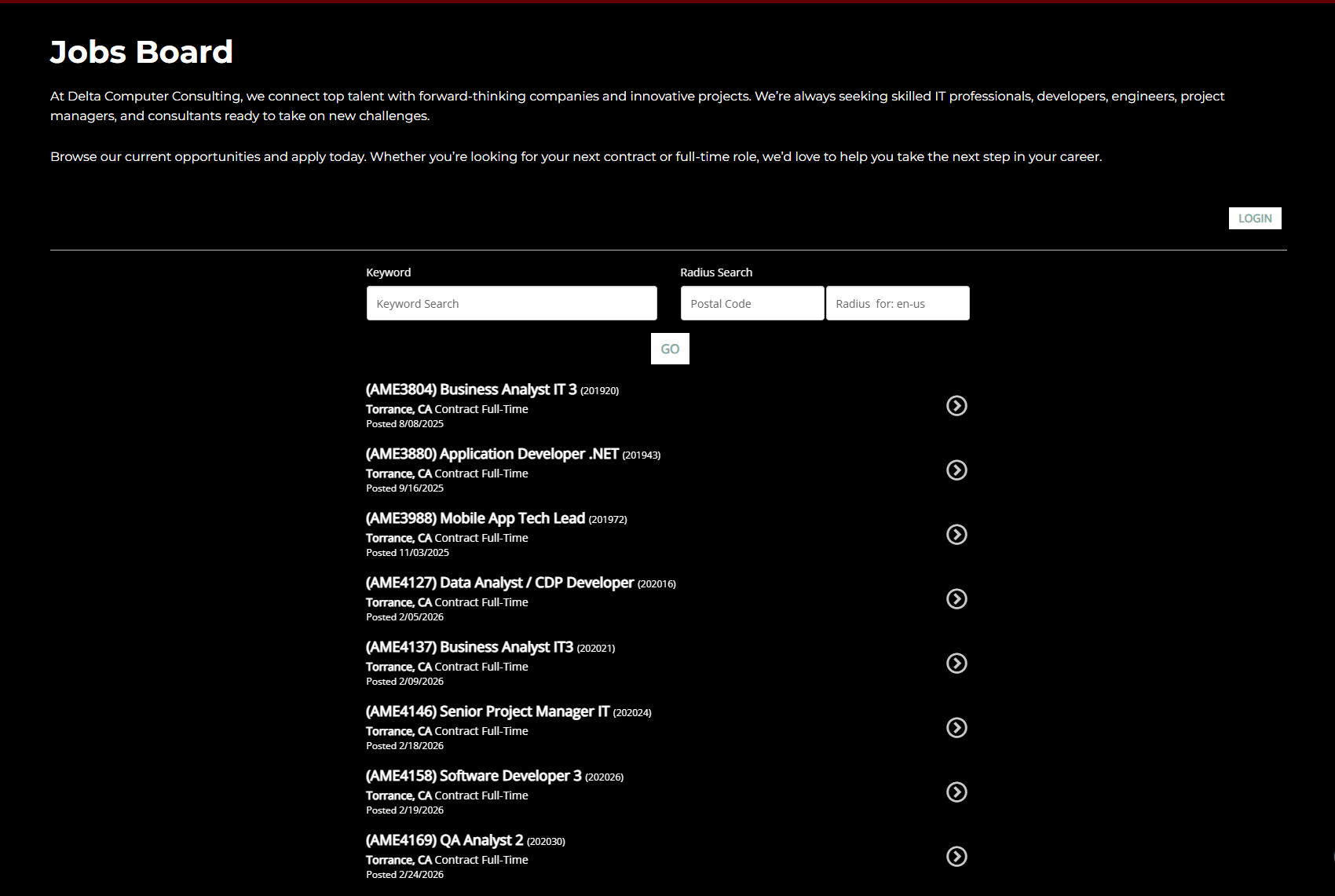
The firm relied on the PCRecruter third-party iframe to display open positions. It worked for their team, technically — but it came with real limitations:
- No control over the look and feel — the iframe rendered their ATS’s default UI, completely out of brand
- Mobile experience was painful — the iframe didn’t reflow or adapt to smaller screens
- Zero analytics visibility — clicks, views, and apply actions were invisible to Google Analytics
- No way to share a specific job — every link went to the same generic careers page
The client wanted something that felt like a modern job board, similar to what you would see or use on Indeed/LinkedIn — fast, branded, and easy for candidates to use on any device.
Building a Custom Job Board in WordPress
We built a custom WordPress shortcode plugin that connects directly to their ATS via REST API. The plugin fetches live job listings, caches them server-side, and renders a two-column job board right inside the WordPress page. Check out the approved demo here
Key features:
- Real-time job listings pulled from PCRecruiter — updated automatically every 15 minutes via WP Cron
- Keyword search and filter chips (Contract, Full-time, Contract to Hire) built in
- Two-column desktop layout with a job detail panel — no page reload needed
- Mobile slide-up panel with a sticky Apply button and bottom navigation bar
- URL-based job sharing — every listing gets a unique shareable link
- One-click sharing to LinkedIn, Facebook, X, and email
- GA4 event tracking on job views, apply clicks, and share actions
The Technical Challenges
This project had more moving parts than it looked like from the outside.
The ATS API (PCRecruiter) required a two-step authentication flow — a POST request to get a session token, followed by Bearer-authenticated requests for job data. Job descriptions required a separate API call with specific query parameters to pull in the full content. Active job filtering had to be handled client-side since the API didn’t support it as a query parameter.
The apply flow was the trickiest part. The ATS generates job-specific share URLs that rely on a hidden iframe being present on the landing page to initialize the session and render the application form. Getting this to work consistently across staging and production environments required careful coordination of domain whitelisting in the ATS admin and a dedicated hidden page to handle the apply flow independently from the custom job board.
We also had to work within the constraints of WordPress.com managed hosting — no SFTP, no cPanel, no control over managed plugin updates — which meant Jetpack backups were our only safety net and every deployment had to be clean.
The Results
Within the first reporting period after launch:
- 84 job listing views tracked via GA4
- 59 apply button clicks — a 70% apply rate from viewers to applicants
- Full mobile experience with native app-like navigation
- Complete analytics visibility for the first time — the client can now see which roles get the most attention and where candidates engage
What We’d Do Differently
The biggest lesson from this project: verify how the ATS handles apply URLs before writing a single line of code. We spent significant time debugging apply flow behavior that turned out to be a fundamental architectural constraint of how the ATS renders application forms. Understanding that earlier would have saved a few sessions of troubleshooting.
The other takeaway: managed WordPress hosting is more limiting than it sounds. If you’re building anything custom that needs server-level access, advocate early for a hosting environment that gives you more control.
Want a Custom Job Board for Your Business?
If your business is relying on an outdated iframe or a generic careers page that doesn’t reflect your brand, we can help. We build custom job boards and WordPress solutions for small and mid-size businesses that need something more than off-the-shelf.
Get in touch to talk through what your careers page could look like.